
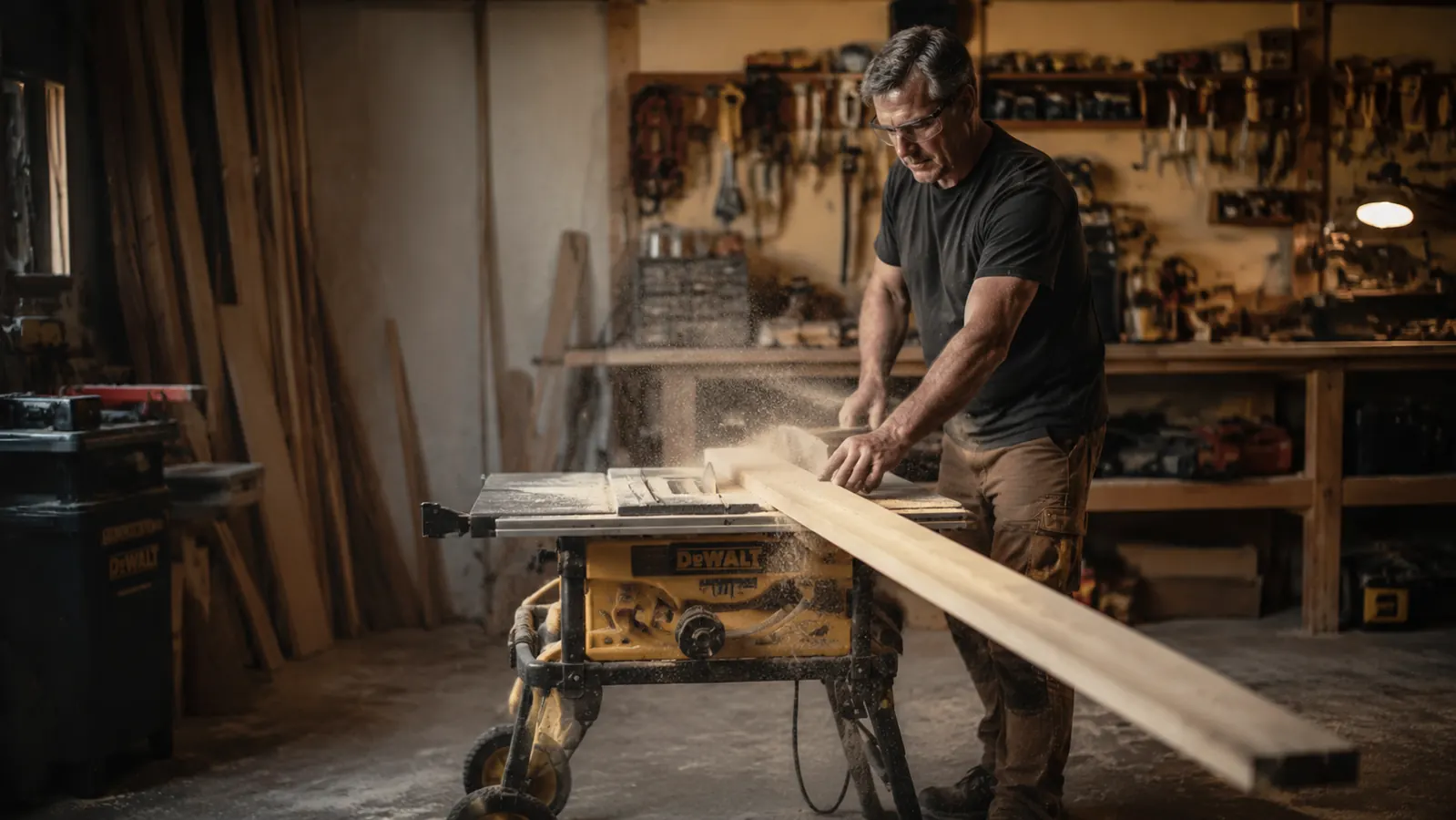
I have been ripping boards on a jobsite table saw for the better part of fifteen years. My current saw is the DeWalt DWE7485, an 8-1/4-inch compact jobsite saw that fits under my workbench when it's not running. When I first bought it, a buddy of mine who runs a small cabinet shop shook his head at it. 'Jobsite saws can't hold a line,' he said. He was wrong, but only because he'd never set one up properly.
The dirty truth about rip cut accuracy on a jobsite table saw is that 90 percent of the problems people complain about, burned edges, wavy cuts, pieces that come out a sixteenth too wide, are setup problems, not saw problems. This guide walks through exactly what to do before you rip a single board and how to feed that board through safely once everything is dialed in.
If your rip cuts are burning or drifting, the saw is not the problem. The setup is.
The DeWalt DWE7485 is the compact jobsite saw I use for every rip cut in my garage shop. Rack-and-pinion fence, 4,800 RPM, 24-1/2-inch rip capacity. Check the current price and see if it's right for your shop.
Amazon Check Today's Price on Amazon →Step 1: Choose the Right Blade for Ripping
Most jobsite saws ship with a combination blade. Combination blades are a compromise. They cross-cut reasonably well, rip acceptably, and do neither thing as cleanly as a dedicated blade. For rip cuts, you want a blade with fewer, larger teeth and deep gullets between them so the saw can clear chips fast and run cool through long-grain wood.
On the DWE7485, I run a 24-tooth ATB rip blade for solid lumber. Twenty-four teeth sound coarse, but that is the point. The blade clears the cut aggressively, the edge comes out smooth enough for most glue-ups, and the motor does not bog down on hard maple or thick red oak. If you are ripping plywood or sheet goods, step up to a 40-tooth blade. Plywood has cross-grain veneers that a coarse rip blade will tear out badly on the exit side.
One more thing on blade choice: check that your blade is rated for the RPM of your saw. The DWE7485 runs at 4,800 RPM. Nearly every standard 8-1/4-inch blade is rated well above that, but verify if you are buying an off-brand or used blade. An over-speed blade failure on a table saw is genuinely catastrophic.
Step 2: Calibrate the Fence to Be Exactly Parallel to the Blade
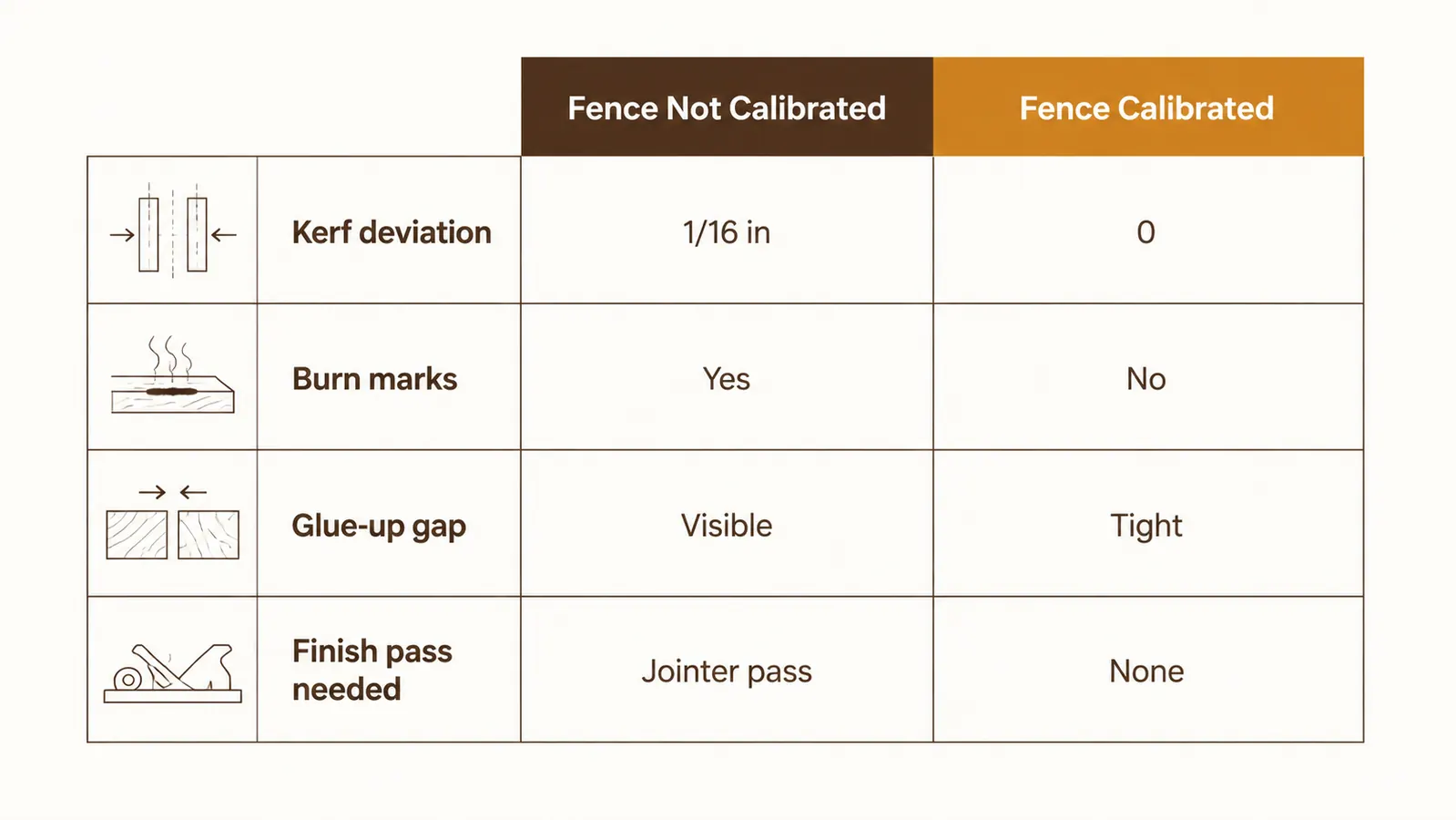
This is the single most important adjustment on any table saw, and the one most hobbyists skip. If the fence is not parallel to the blade, the trailing edge of the board binds against the fence as it exits the cut. That binding causes burning on the edge, pushback on the motor, and in the worst case, kickback that sends the workpiece back toward your stomach at saw-blade speed.
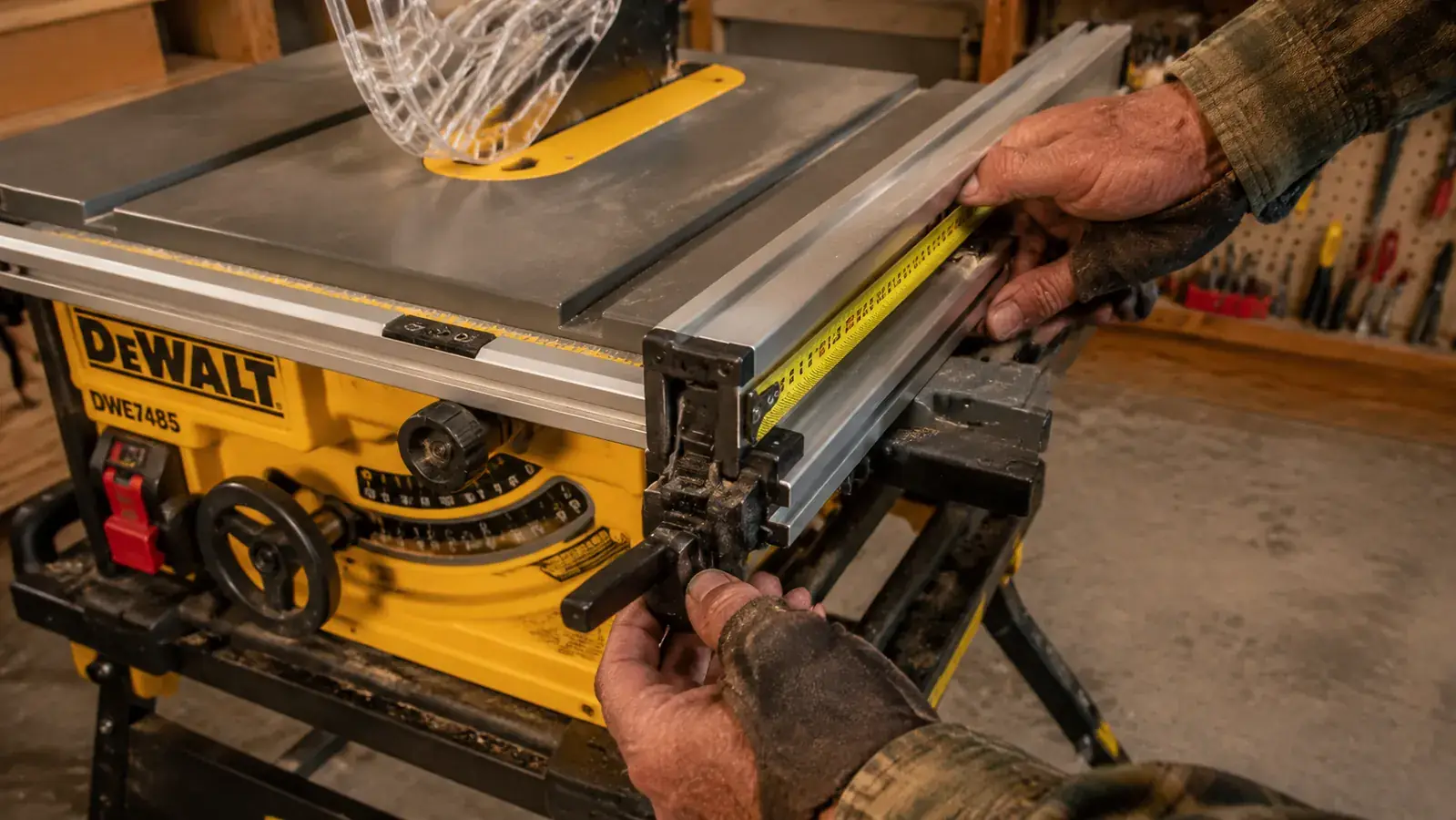
To calibrate the fence on the DWE7485: set the fence to a known measurement, say four inches, using the rack-and-pinion adjustment wheel. Then take a small combination square and measure from the fence face to a tooth on the front of the blade. Write that number down. Rotate the blade by hand so that same tooth is now at the back of the blade. Measure again from the fence face to that tooth. Both numbers should match. If the rear measurement is larger than the front, the fence is toed in and the wood will bind. If the rear is smaller, the fence is toed out. The DWE7485 fence has two set screws at the front rail bracket that let you rotate the fence head slightly. Adjust until both measurements match within half a thousandth or so.
Some woodworkers intentionally toe the fence out by a hair, maybe one or two thousandths, so the workpiece relieves slightly away from the blade after the cut rather than pressing against it. That is a valid approach, but it needs to be intentional and consistent, not accidental. I run mine dead parallel and have not had binding problems.
Step 3: Set Blade Height and Confirm the Splitter or Riving Knife Is in Place
Blade height matters for rip cuts. The common advice is to raise the blade so the tips just clear the top of the workpiece by about a quarter inch. That height gives you the most aggressive cutting angle, fast chip clearance, and a cooler blade. Some woodworkers prefer to raise the blade higher, claiming it reduces tearout, but on rip cuts through solid wood I have never seen tearout differences worth worrying about. A quarter inch above the work is where I land every time.
The splitter or riving knife is not optional. The DWE7485 ships with a riving knife that stays close behind the blade at any height setting, unlike older splitters that were fixed and only worked at full blade depth. The riving knife rides in the kerf and prevents the two halves of the board from pinching back together behind the blade. Without it, a ripped board can close on the blade mid-cut and throw itself back at you. Before every rip session, confirm the riving knife is seated and locked. On the DWE7485, there is a knob on the back of the blade housing. Give it a firm tug to make sure it does not wobble.
Step 4: Mark Your Workpiece and Measure the Fence Setting Twice
The rack-and-pinion fence on the DWE7485 has a scale on the rail, but I do not fully trust any table saw scale out of the box for precise work. The scale is a starting point. My process: dial in the fence to the approximate mark on the scale, then take a tape measure and measure from the fence face to the closest tooth on the blade. That is your actual cut width. Write that dimension directly on the workpiece with a pencil if you are making multiple pieces that need to match.
Before the first cut on any new setup, rip a short scrap piece of the same thickness as your actual workpiece. Measure the result. If it comes out right, proceed. If not, adjust the fence and rip another scrap. Two minutes of testing saves ruined lumber. I have a scrap bin next to the saw specifically for this purpose, short offcuts in the same species I am working with so the scrap and the real piece behave the same way under the blade.
Also check that your workpiece has at least one straight reference edge before ripping. A table saw rip cut is only as straight as the edge you run against the fence. If the board is bowed or has an irregular factory edge, joint it first or run it through a sled before you rip. A fence cannot correct a curved input.
Step 5: Set Up Outfeed Support for Any Board Longer Than Four Feet
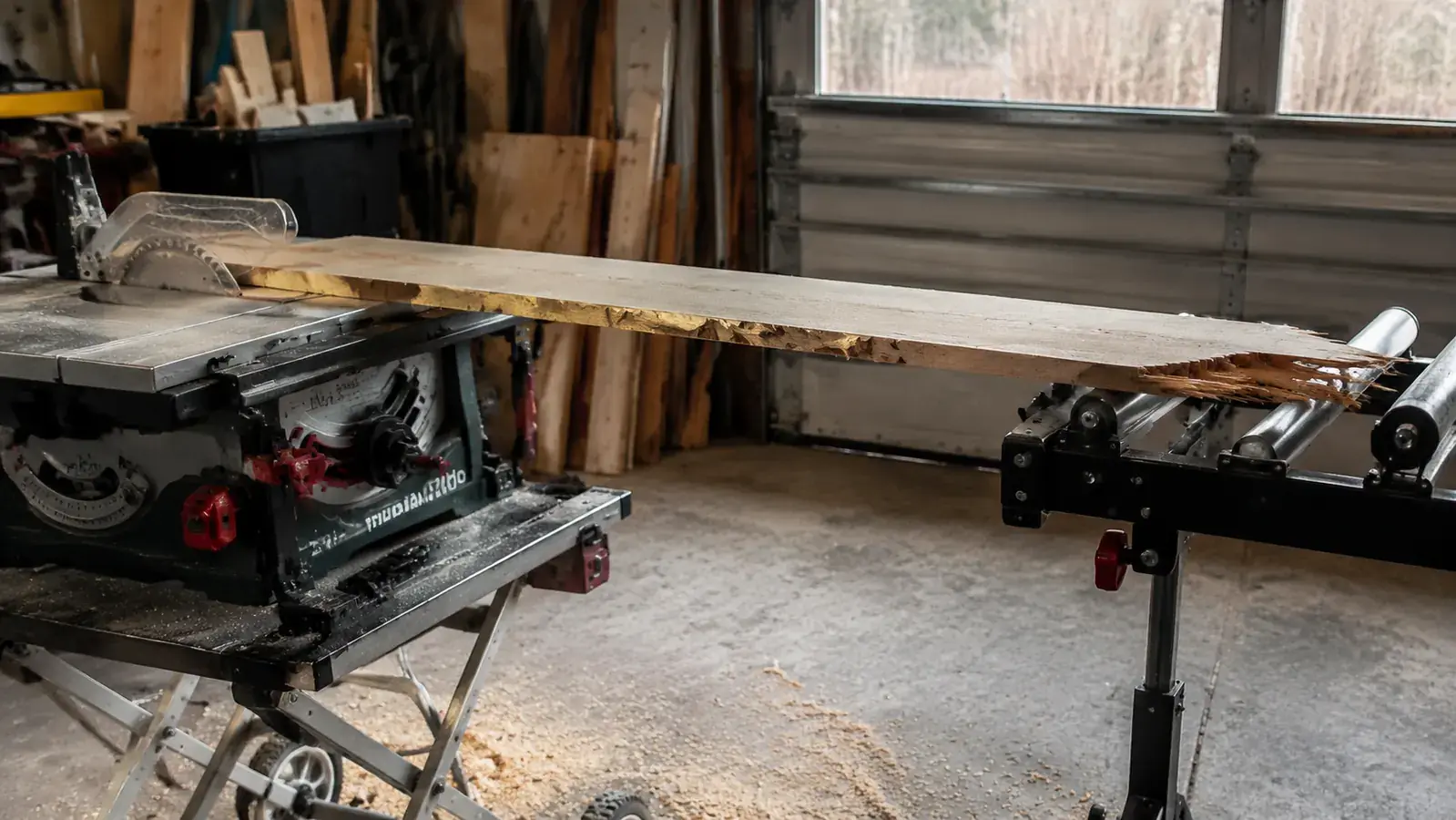
This one sounds obvious until you are three-quarters through an eight-foot board and the tail end drops off the saw table. When the tail drops, the nose of the board lifts, the cut angle changes, and the piece binds in the blade. At best you get a burned exit. At worst, kickback.
For boards under four feet I can usually hand-catch the exit safely. For anything longer, I use a roller stand set to the exact height of the saw table. The DWE7485 table surface sits at a fixed height, so once I set the roller stand to match, it stays there for the session. If you do not own a roller stand, a workbench set to the same height works fine. A low sawhorsa does not work because the height difference is enough to induce that nose-lift.
On the infeed side, long boards also need support if you are working alone. An infeed roller or a second workbench behind you lets you handle twelve-foot lengths without a helper. I built a simple outfeed-infeed combo stand from scrap plywood years ago. It is not pretty but it sits at exactly the right height and has never caused a problem.
A jobsite table saw is not a lesser saw. It is a different kind of saw. Set it up correctly and it rips with the same accuracy as a contractor saw that costs three times as much.
Step 6: Connect the Dust Port Before You Make the First Cut
Ripping produces a tremendous amount of coarse shavings and fine dust. The DWE7485 has a 2-1/2-inch dust port on the rear of the lower cabinet. If you have a shop vacuum or a dust collector with a 2-1/2-inch hose, connect it before you start. Without dust collection, the sawdust pile builds up under the blade fast, which can affect blade temperature and clog around the lower blade guard.
I run a shop vacuum connected directly to the DWE7485 port during ripping sessions. It is not a perfect setup, about 60 percent capture at the source, but it keeps the pile manageable and the floor clear around my feet, which matters for safe footing. If you have a dedicated dust collector, the 4-inch hose from that collector can step down to the 2-1/2-inch port with a standard reducer fitting. The capture rate goes up considerably with the higher CFM of a real collector.
If you want a full guide to setting up shop dust collection beyond just hooking up to the saw port, I covered that in detail in the dust collection setup guide. For ripping specifically, even basic source capture makes a real difference in visibility and cleanup time.
Step 7: Use the Right Push Stick and Push Block for the Cut Width
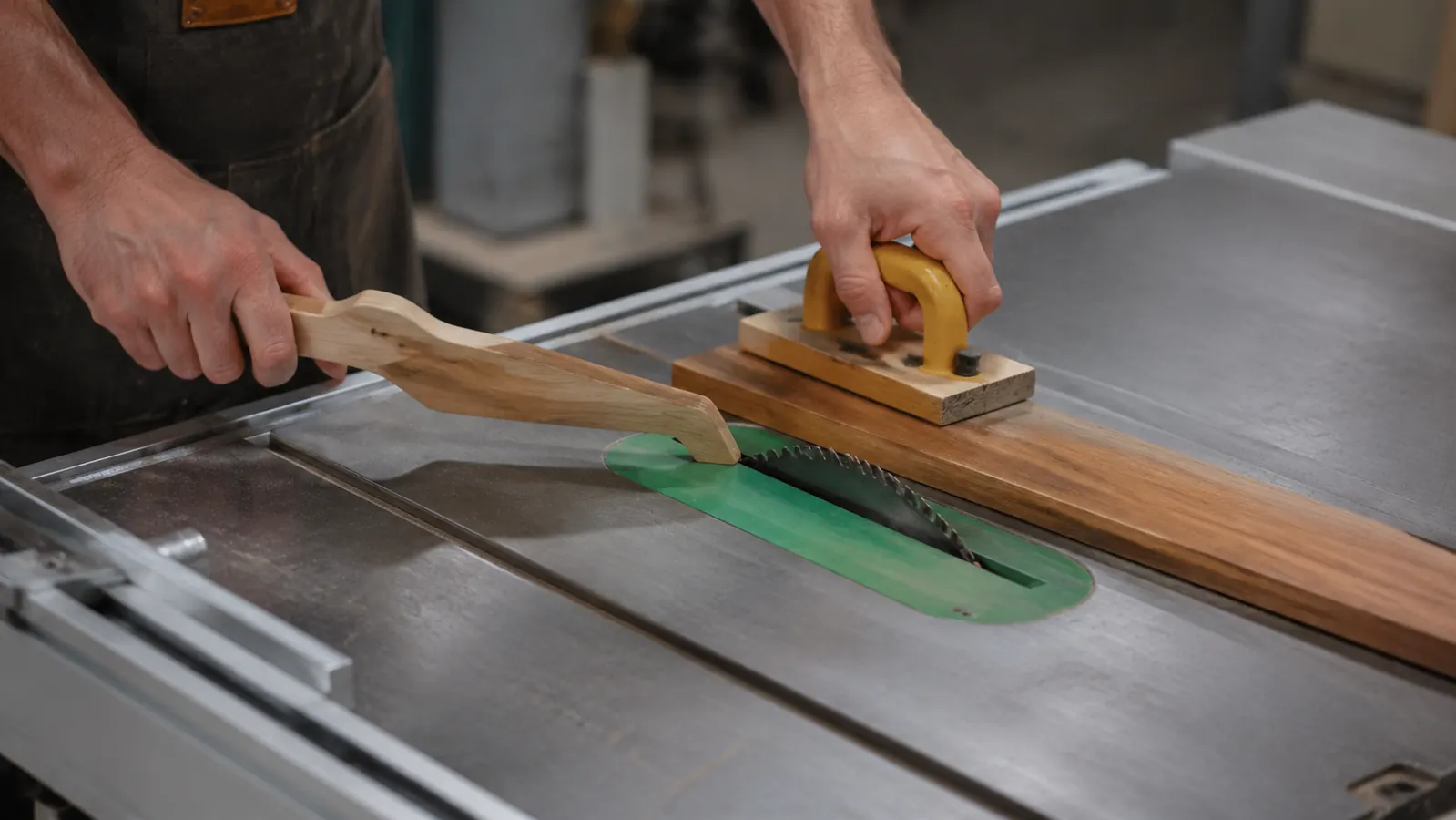
Push sticks are not one-size-fits-all. The choice depends on cut width. For rip cuts four inches or wider, a standard push stick with a notched heel works fine. The heel engages the trailing end of the board and you maintain lateral pressure against the fence with your left hand until the board is past the blade. Keep the push stick angled slightly toward the fence, not dead straight toward the blade.
For rip cuts between one inch and four inches, I switch to a push block, sometimes called a gripper. A push block has a rubber sole that grips the top of the workpiece and lets you apply both downward and forward pressure simultaneously. That downward pressure keeps the piece flat on the table as it passes the blade, which is critical on thin rips where the workpiece can flex or walk up slightly. I use a commercial push block with a replaceable rubber pad. It has paid for itself in avoided injuries and wasted lumber.
For rip cuts under one inch, the safe approach is to not make them freehand. Instead, use a dedicated thin-rip jig that clamps to the fence and keeps the workpiece from wandering into the blade gap. These are simple shop-made jigs, a piece of MDF with a notch and a handle, and they take fifteen minutes to build. For ripping thin stock repeatedly, like drawer sides at 3/8 inch, a thin-rip jig is the only approach I trust.
Step 8: Stance, Feed Rate, and Finishing the Cut
Where you stand matters more than most beginners expect. Stand to the left of the fence line, not directly behind the blade. If a piece kicks back, it travels along the blade line, not to the left of it. Standing left of that line puts you out of the primary kickback zone while still giving you enough reach and control to feed the board through at a consistent rate.
Feed rate on a rip cut should be steady and moderate. You are looking for a feed speed where the motor pitch stays constant. If the motor starts to lug down, slow your feed. If the blade is singing high and clear with no resistance, you can speed up slightly. The DWE7485's 15-amp motor is robust enough to handle hard maple at a reasonable rate without bogging. I have never found a solid wood that stopped it, though I push it harder on cherry and oak than I do on pine just to keep the blade cool.
As the trailing end of the board approaches the blade, transition fully to your push stick or push block. Your hand should never come within six inches of the blade. Once the board is clear of the blade and supported by your outfeed setup, let it coast to a stop. Do not grab the ripped piece from the offcut side, wait for the blade to stop spinning, then retrieve both pieces. The DWE7485 coasts down in about eight seconds from full speed. That wait is not optional.
What Else Helps
A featherboard clamped to the infeed side of the fence is worth mentioning separately from the steps above. It is not mandatory for every rip cut, but for long or thin stock, a featherboard applies consistent lateral pressure against the fence throughout the cut, which means you do not have to maintain that pressure manually with your left hand. That frees your left hand to help guide the board end-to-end rather than pressing sideways. Commercial featherboards that attach to the miter slot are easy to set up and cost under twenty dollars. I started using one regularly and it reduced my edge variation noticeably on long rips.
For anyone on the fence about whether the DWE7485 is worth the investment as the foundation saw for a home shop, I wrote a full two-year rundown in the long-term review. If you want just the cut-to-the-chase honest take on its limitations before buying, the honest review is the faster read. The short answer: for a garage shop doing furniture and cabinetry work, it has been the right saw. The fence is accurate enough when calibrated properly, and the compact footprint means I can actually use it without shuffling everything out of the way.
Rip cuts are the foundation of almost every project in solid wood. Getting them right is not complicated, but it requires doing the setup work every time, not just the first time you own the saw. The fence drifts slightly if you move the saw. A new blade changes the blade-to-fence relationship. Humidity changes affect the wood. Check the setup, run a test cut on scrap, and then cut your real stock. That habit is what separates woodworkers who produce consistent results from woodworkers who spend time re-running cuts that should have been right the first time.
Ready to stop second-guessing your rip cuts? Start with a saw whose fence you can actually trust.
The DeWalt DWE7485 is the 8-1/4-inch compact jobsite saw I use for every rip cut in my shop. Rack-and-pinion fence locks tight, the riving knife is solid, and the 15-amp motor handles hardwood without complaint. Check today's price and availability on Amazon.
Amazon Check Today's Price on Amazon →